table of contents
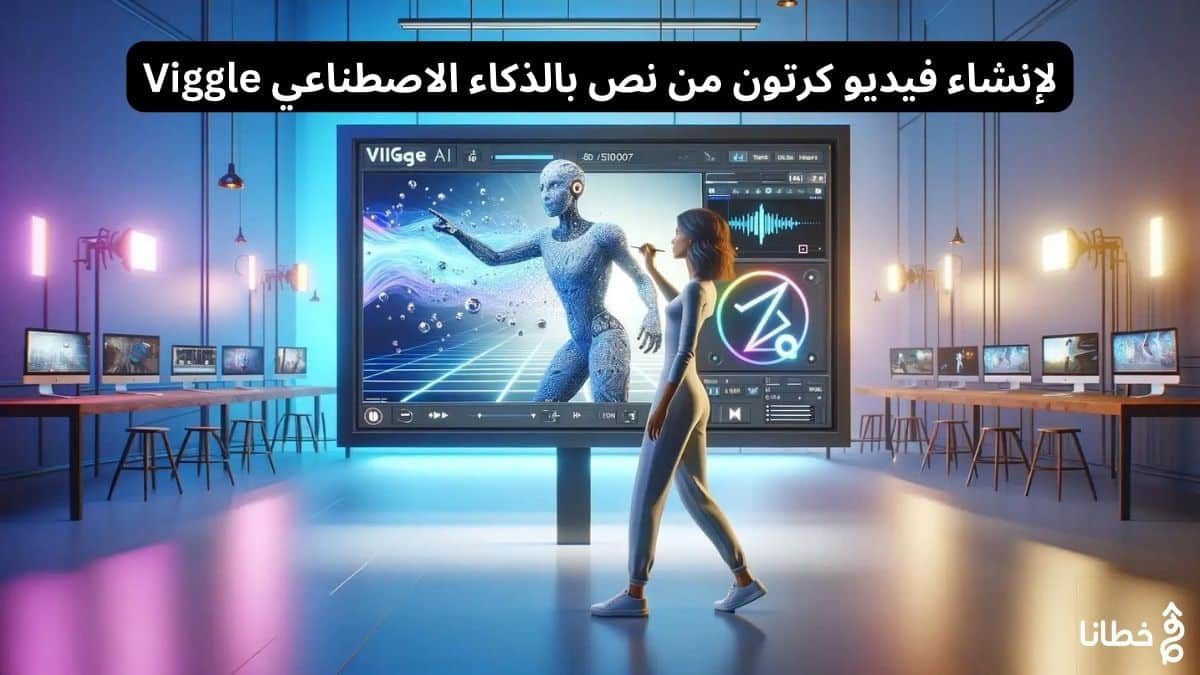
Just imagine being able to put yourself right into your favorite animation with just a few clicks. That’s the magic of Viggle AI, a groundbreaking tool that harnesses the power of artificial intelligence to transform an animation scene. By seamlessly blending your image with motion patterns from a video, Viggle AI opens up a world of creative possibilities for professionals and amateurs alike. In this review, we’ll explore how Viggle AI works, its key features like “Mix,” “Animate,” and “Ideate,” and how you can unleash your inner animator with this innovative tool. Let’s dive in and explore the wonders of Viggle AI!
Viggle’s key points:
Viggle AI: An innovative tool that uses artificial intelligence to seamlessly insert yourself into existing animations using just a photo.
Features: Viggle AI’s core features include “Mix” to combine photos with videos, “Animate” to create basic animations, and “Ideate” to create animations with text prompts.
How it works: Viggle AI analyzes the movement patterns within a video and applies them to your image, creating entirely new animations with amazing smoothness.
Use cases: Viggle AI unlocks creative applications for professionals and hobbyists, from social media stardom to engaging presentations.
How to use: Users can join the official Discord server, access different channels to create animations, and use commands like “/mix” and “/animate” to bring their custom animations to life.
Getting Started with Viggle AI
1- Requirements and preparation:
No fancy equipment is needed to explore the world of Viggle AI. Any aspiring animator can get started with just a clear image and access to the Viggle AI Discord server. Once these basic requirements are in place, you’ll be ready to unleash your creativity!
2- Join the Viggle AI Discord community:
The requirements to join the Viggle AI Discord community are simple. Simply head over to the official Discord server and join. Viggle AI offers multiple channels, such as “animate-1,” where you can easily begin your creative journey.
3- Understanding the Viggle AI interface:
Viggle AI provides an easy-to-use interface within the Discord community for users to seamlessly interact with the AI tool. With dedicated channels for specific features like “Mix” and “Animate,” the platform provides a curated environment for users to explore and create custom animations. Community engagement and support further enhance the user experience, making it a dynamic space for creativity to flourish.
Key Features of Viggle AI
1- Mix feature: Mix photos with video clips:
Now, with Viggle AI, you can seamlessly blend your image into a selected video clip using the innovative Mix feature. By analyzing the movement patterns within your video, Viggle AI applies these patterns to your image, creating entirely new animations where your image becomes part of the action. This process, powered by the JST-1 machine learning model, ensures a seamless and seamless integration of your image into the animation.
2- Animate feature: Bringing still images to life:
Any static image can be brought to life with Viggle AI’s Animate feature. By describing the action you want your character to perform in a text prompt, you can create a basic animation from your photos. Imagine a fun photo of yourself striking a cool pose—with Animate, you can bring that pose to life in animated form. This feature adds an extra layer of creativity to your animation, making the possibilities endless.
This feature goes beyond simply blending your image with existing animation; it lets you control the movement and actions of your characters. Whether you want to create a dance sequence, a heroic moment, or simply add more dynamic movement to your still images, Animate lets you unleash your creativity and bring your images to life in ways you never imagined.
3- Ideate feature: Create animation from text:
Animate your imagination with Viggle AI’s Ideate feature. By describing the character or scene you envision in text, the AI tool can generate animations even without visuals. This feature opens up a world of creative possibilities, allowing you to bring your ideas to life with the power of AI. Soon, you’ll be able to animate not only human characters but also furry friends and fantasy creatures, expanding the scope of your animated creations.
Viggle AI’s feature-rich and innovative Ideate feature transforms the way you approach animation creation. With the ability to create animations from pure text prompts, you can bring your ideas to life and see them come to life on screen. Whether you’re a professional looking to add a unique touch to your projects or a hobbyist exploring animation with this feature, you can unleash a wealth of creative potential at your fingertips.
The technology behind Viggle AI
1- Exploring the JST-1 machine learning model:
Machine learning plays a pivotal role in Viggle AI’s functionality, particularly through the use of the JST-1 model. This advanced machine learning algorithm analyzes complex motion patterns within a video, allowing Viggle AI to seamlessly integrate these patterns with the user’s image. By understanding and replicating these movements, JST-1 makes it easy to create entirely new animations that bring images to life with remarkable fluidity.
2- Video and image analysis for animation:
Behind the scenes, Viggle AI leverages advanced video and image analysis techniques to transform an animation scene. By taking a video and an image, the AI dissects the movement patterns within the video and applies them to the image, resulting in a new animation where the user’s image seamlessly replaces the original character. This process not only allows users to participate in their favorite animations, but also opens up a world of creative possibilities across various fields.
3- Create your own animations using Viggle AI:
When using Viggle AI to create custom animations, choosing the right images and videos is crucial. For optimal results, choose clear images that show full-body views of the character you want to animate. Additionally, select videos with clear human movement that aligns with your animation vision. Keep in mind that the video should be no longer than 30 seconds and have a resolution higher than 720p.
1- Step-by-step animation creation process:
- Step 1 Upload a clear image of the character you want to animate.
- Step 2 Select a suitable video with clear human movement.
By following these steps, Viggle AI will seamlessly blend your image with the motion patterns from your video, creating a new animation where your character takes center stage.
2- Tips to improve animation quality:
- To improve the quality of the animations you create with Viggle AI, keep the following tips in mind:
- Choose high-resolution photos and videos for better results.
- Make sure the character in your image and the movement in your video align smoothly.
- This attention to detail will enhance the smoothness and realism of your custom animations, resulting in captivating visual wonders that will captivate your audience.
Practical applications of Viggle AI
1- Improving social media:
The exciting aspect of Viggle AI is its ability to enhance social media content. Not only can users seamlessly insert themselves into existing animations, but they can also create engaging and engaging posts that stand out in a crowded digital landscape. Whether it’s adding a fun touch to a dance video or becoming the hero of an action sequence, Viggle AI offers a fun and creative way to boost your social media presence.
2- Educational and professional uses:
Viggle AI’s uses go beyond social media. Educational and professional settings can also benefit from this innovative tool. By incorporating custom animations into presentations, teachers can make complex concepts more engaging and memorable for students. Additionally, professionals in industries such as marketing and advertising can leverage Viggle AI to create visually stunning content that captivates their audiences. The practical applications of Viggle AI in educational and professional contexts are wide-ranging. From interactive learning materials to attention-grabbing ads, the tool offers a versatile platform for enhancing communication and visual storytelling.
3- Entertainment and dedicated projects:
The entertainment industry and custom project creators can explore countless possibilities with Viggle AI. The tool’s ability to blend images with video opens up new avenues for creativity and customization. Whether it’s for personal projects or professional endeavors, Viggle AI enables users to bring their visions to life in stunning detail. Integrating Viggle AI into entertainment projects can result in groundbreaking visual effects and custom animations that elevate the overall production value. Another area where Viggle AI shines is in custom projects, allowing individuals to realize their creative ideas with ease and precision.
The Future of Animation with Viggle AI
1- Upcoming features and capabilities:
For Viggle AI users, the future holds exciting prospects with upcoming features and capabilities. Leveraging the power of artificial intelligence through the JST-1 model, Viggle AI continues to evolve, promising enhanced functionality for creating custom animations. As the platform grows, users can look forward to more advanced tools for enhancing and improving animations.
2- Customize their animations with greater precision and detail:
Expanding Beyond Human Characters To broaden its scope and appeal, Viggle AI is expanding its capabilities by moving beyond animations focused solely on human characters. For example, users will soon be able to animate their favorite non-human characters, such as pets like dogs and cats, as well as fictional creatures. This expansion opens up a world of creative possibilities, allowing users to bring a variety of characters and stories to life through animation.
The ability to animate a variety of characters, not just humans, will provide users with endless opportunities to explore their creativity and storytelling skills. By including a broader range of characters, Viggle AI aims to cater to a wider audience, ensuring that everyone can find a way to express their unique vision through animation.
3- Predictions about Viggle AI in the animation industry:
The future of animation with Viggle AI looks promising, with predictions indicating that the platform will become a major player in the animation industry. With its innovative features and user-friendly interface, Viggle AI is poised to revolutionize the way animations are created and shared. As more users discover the creative potential of Viggle AI, the platform is likely to see widespread adoption across various creative industries and sectors.
4- User experiences and community feedback:
Despite being a relatively new player in the animation tools market, Viggle AI has received significant attention and positive feedback from users and creators alike. The seamless blending of motion patterns from video clips and user images has sparked creativity and inspired many to explore the possibilities of custom animation.
5- Success stories and distinctive innovations:
The response to Viggle AI has been overwhelmingly positive, with users sharing their success stories and remarkable creations across social media platforms. From dancing alongside their favorite animated characters to starring in action-packed sequences, the tool has enabled users to bring their creative visions to life with stunning ease.
6- Addressing users’ concerns and challenges:
A significant portion of user feedback revolves around Viggle AI’s learning curve and the initial challenges faced by newcomers. The tool’s developers have taken these concerns into account and are continually working to improve the user experience through tutorials, guides, and user-friendly interfaces. Ongoing dialogue between the Viggle AI team and users ensures that feedback is heard and addressed promptly, leading to ongoing improvements and updates aimed at streamlining the animation creation process and expanding creative possibilities.
7- Community support and cooperation:
To foster a sense of community and collaboration, Viggle AI actively encourages users to share their creations, tips, and tricks. By creating dedicated channels on platforms like Discord, users can participate in discussions, provide feedback, and collaborate on projects, ultimately enriching the overall user experience. With a growing community of passionate users, Viggle AI is poised to become a hub for creativity, collaboration, and innovation in the animation space. Users can find inspiration, advice, and support from fellow creators, making the animation creation journey rewarding and collaborative.
Combining all of Viggle AI’s innovative features and capabilities, this AI tool is a game-changer in the world of animation and creative expression. By seamlessly blending images and videos and enabling basic animation from scratch, Viggle AI empowers users to bring their imaginations to life in minutes. Whether you’re a professional seeking to enhance presentations or a hobbyist looking to add an artistic touch to social media content, Viggle AI offers a wealth of creative possibilities at your fingertips. With its user-friendly interface and advanced AI capabilities, Viggle AI is a tool that unlocks a treasure trove of creative applications and inspires users to unleash their inner animator.
Viggle.ai Pricing
- Basic Access to basic features, limited templates, and low-res output $15/month.
- Pro All features, full template access, HD output, and initial support $30/month.
- Institutional customized solutions, dedicated support, and unlimited access. Contact them for pricing.
- Freemium (limited trial available).
Viggle.ai Alternatives
Animoto is great for social media videos with a variety of templates.
Veed.io offers a wide range of editing tools and collaboration features.
Pictory focuses on transforming text content into engaging videos, perfect for marketers.
Viggle Pros and Cons
1- Viggle Pros:
- Innovative Technology: Physics-aware model enhances animation realism.
- Ease of use: The intuitive interface makes video creation accessible to everyone.
- Customizable: Offers many templates and customization options.
2- Viggle Cons:
- Fast accuracy: The text-to-video feature can sometimes misinterpret commands.
- Pricing: Some users may find the Professional and Enterprise plans expensive.
Viggle.ai is a sophisticated tool designed for content creators and marketers who want to easily create dynamic and engaging videos. Using advanced AI technology, Viggle.ai allows users to control characters and scenes through text prompts, simplifying the video creation process. It is particularly useful for those looking to produce professional-quality videos without extensive knowledge of video editing software. Viggle.ai has generally received positive feedback for its user-friendly interface and innovative approach to video creation. Users appreciate the ability to create complex videos with minimal effort, although some note that the text-to-video feature can sometimes misinterpret prompts, resulting in less accurate animations.
Despite this, most users find the tool useful for quick, professional video production. Viggle.ai is ideal for content creators, marketers, educators, and small business owners who need to produce high-quality videos quickly and efficiently. It’s also suitable for social media influencers looking to create engaging content without investing in complex video editing software. Viggle.ai is a valuable tool for anyone looking to create professional videos without the hassle of traditional video editing. Its innovative features and easy-to-use interface make it a worthwhile investment, despite some minor limitations.
If you’re looking for a powerful and accessible video creation tool, Viggle.ai is worth considering. Viggle AI is an innovative app designed to enhance user experience by offering personalized content recommendations, engaging interactive features, and extensive data analytics capabilities. Using machine learning and artificial intelligence, Viggle AI curates a personalized experience tailored to its users’ preferences. The platform serves various verticals, including entertainment, news, and lifestyle, and thrives on interaction to keep users engaged. See more tools at https://tech.khutana.com.
Questions about Viggle’s article on creating cartoon videos from text using artificial intelligence and its top 3 advantages
What is Viggle AI?
Viggle AI is a tool that allows users to create VFX wonders in minutes by analyzing movement patterns in videos and applying them to images to create unique animations.
How does Viggle AI work?
Viggle AI uses a machine learning model called JST-1 to analyze motion patterns in a video and then apply those patterns to an image, seamlessly combining the two to create entirely new animations.
What features does Viggle AI offer?
Viggle AI offers three main features: Mix, which blends an image with an animated video clip; Animate, which allows users to create basic animations from images; and Ideate, which generates animations based on text prompts.
How can I use Viggle AI to create custom animations?
To use Viggle AI, join their Discord server, select a channel to start creating, and use commands like “/mix” to combine your image with a video, “/animate” to bring your images to life with animation, and “/ideate” to create animations based on text prompts.
Is Viggle AI free to use?
Yes, Viggle AI is completely free to use and offers a range of creative applications for professionals and amateurs alike, from social media content to engaging presentations.
How to get started with Viggle.ai?
Sign up: Visit the Viggle.ai website and sign up for an account.
Choose a plan: Select a pricing plan that suits your needs.
Explore templates: Browse the available templates and choose a template for your project.
Create: Start creating your video by typing commands and customizing them as needed.
Export: Once your video is ready, export it at the desired resolution.
How do you get the most out of it?
Use templates: Use customizable templates to speed up your workflow.
Experiment with prompts: Try different text commands to see how they affect your video.
Collaborate: Use collaboration features to work with team members and improve your projects.
Learn and Adapt: Stay up-to-date with new features and updates to maximize the tool’s potential.
Can I collaborate with others on a video project using Viggle.ai?
Yes, Viggle.ai offers collaboration tools that allow multiple users to work on the same project.
What kind of support does Viggle.ai offer?
Professional and Enterprise plan users receive priority support, while Basic plan users have access to standard support channels.
Is there a mobile version of Viggle.ai?
Currently, Viggle.ai is optimized for desktop use, but mobile support is in development.
Can Viggle.ai create 3D animations?
Yes, use Viggle.ai.