table of contents
Learn about Midjourney’s AI-powered image-to-text creation. Imagine a whale flying through the air, and you’re asked to draw it digitally. This can take time and, of course, artistic skill. But not with Midjourney. In this article, we’ll learn about this tool, but don’t forget to share it with your loved ones, wherever you are.
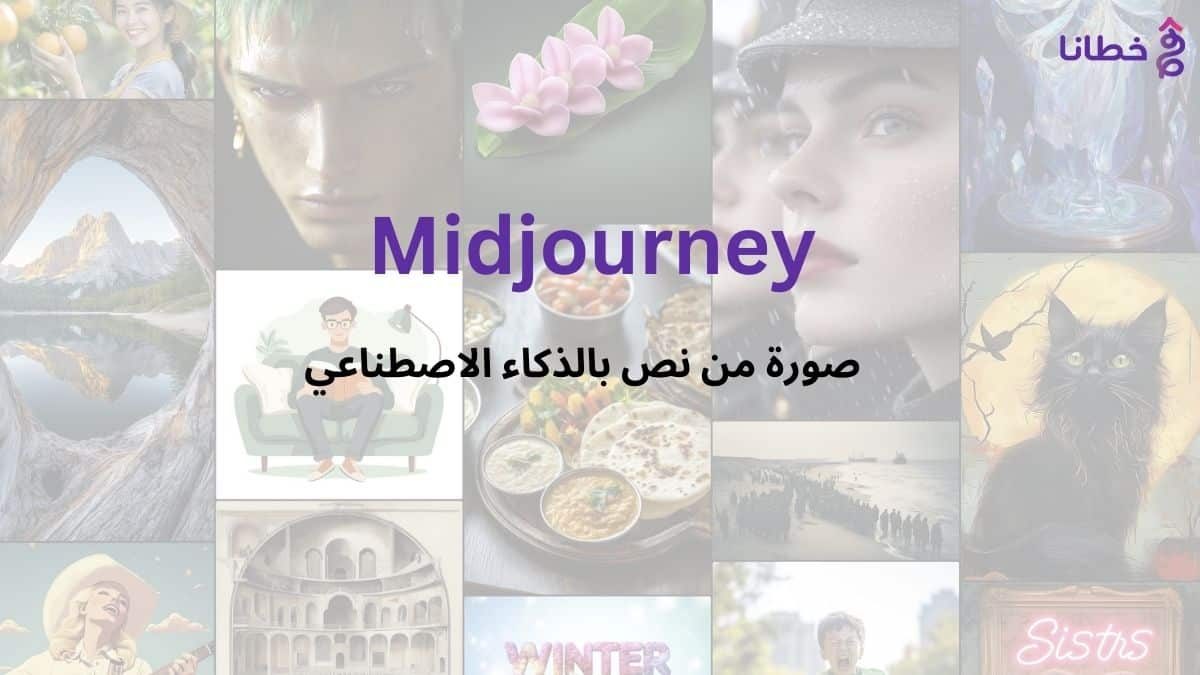
Midjourney is a Discord-based AI image generator that uses text commands to generate images. You can enter text with the type of image you’re looking for, and the system will generate images for you. So, you can describe a whale flying through the air, a cat in humanoid form, or anything at all, and the Midjourney bot will create them for you. Midjourney generates high-resolution images from your text input. It’s a very popular AI-based generator. You can use it to create anything you can imagine, from photorealistic images to dream-like drawings, as it can create artistic gems. You don’t need to download a specific app for Midjourney, as it works through Discord chat. Let’s learn more about Midjourney.
What is Midjourney?
Midjourney is an AI-powered image-to-text generator. It uses natural language processing (NLP) to read user-entered text and generate relevant images based on that text. Midjourney continues to evolve and operates on Discord chat. It has a large community, and you can join channels to interact with other people. While it can generate stunning images, it’s not a good idea to use it to create your own business designs since all images are public.
Although there is a stealth mode, it only hides images from others on Midjourney. If an image is created in a public channel, it will always remain public, whether it is stealthed or not. Midjourney is based on Discord, so if you’ve ever used Discord, you already know how to use Midjourney. It has a thriving community where you can share art and ideas and connect with like-minded individuals.
10 Quick Points About MidjourneyMidjourney lets you fine-tune your images by specifying aspect ratio and quality.
- Midjourney version 5 was released in March 2023 and is available to users.
- It can create images in multiple artistic styles from drawings to paintings to hyper-realistic photos.
- Midjourney runs on Discord, so you’ll need to be familiar with Discord chat.
- It does not have a free plan but there are different paid plans according to the user’s needs.
- It has amazing natural language processing features that generate accurate results.
- Allows you to edit your images and create more variants.
- Generates high-quality images based on text prompts.
- You can interact with the community and join channels.
- You can also increase the quality of your image to enlarge it.
Pros and Cons of Midjourney:
First the positives:
- Very easy to use, just enter text to generate images with AI.
- Version 4 was good and version 5 gives better results.
- Highly accurate results with high quality images.
- Provides editing features.
Secondly, the negatives:
- There is no free trial yet.
- Only available on Discord for now.
- Limited customer support.
How does Midjourney work?
Midjourney uses two machine learning techniques: diffusion models and large language models. Using a large language model, Midjourney understands the meaning of text entered by users. Using diffusion, the system adds more insight and detail to the image. It then reverses the details to restore the original image, training the AI to generate accurate results based on the text. Using it is very simple. All you need to do is create a Discord account and join a Midjourney server. You can do this using your browser or the Discord app. Let’s do it step by step.
How do you use Midjourney? Midjourney runs on Discord, a text and voice chat app. Here’s how:
1. Create an account at https://discord.com, where you can download the Discord app or open it in your browser.
2- Accept the invitation to Midjourney which you can find on their website.
Once you click on the link, you will get the invitation.
3- Enter Midjourney
4- Join any channel you like. Beginner’s channel is a good start. There are some channels in the list on the left side, or you can search for a channel in the search bar on the top right.
5- You cannot create images without a subscription. To subscribe to their paid plans, type /subscribe in the text box below.
6- This will take you to the pricing page and you can subscribe to the plan you want and start creating images.
7- To generate an image, type /imagine, and an image prompt will open. In this prompt, you can describe your image, and the AI will generate it for you.
8- Once you have ordered something, you will get four images from which you can select one and enhance or modify it, and when you are satisfied with the results, you can save that image.
How to Upgrade Images in Midjourney
When creating images, you’ll see buttons below them. These buttons are labeled U1, U2, U3, U4, V1, V2, V3, and V4. The U buttons scale up the selected image, and the V buttons create four new variations of the selected image. To save an image, click on it and it will shrink down. You can then right-click on it and select Save Image. Keep in mind that all images created on a public channel are public and can be saved by anyone.
Special Commands in Midjourney
Just like the /imagine command, there are other special commands for interacting with the Midjourney bot. Here are some of them:
- /ask to ask a question
- /fast for faster results
- /subscribe to subscribe to a paid plan
- /stealth for stealth mode (your photos will not be visible to others).
Parameters in Midjourney
There are special parameters you can set with each command. Here are some of them:
- –tile will generate images that can fit together seamlessly like a story.
- –no is for negative prompts. For example, if you don’t want flowers in a photo, you can use this to remove them.
- –aspect to change the aspect ratio. For example, 3:2 –ar will give a 3:2 aspect ratio (used in printed photography), while the default aspect ratio in Midjourney is 1:1.
Midjourney Prices
Midjourney offers four plans:
The Basic plan is $8/month paid annually or $10/month paid monthly.
The Standard plan is $24/month paid annually or $30/month paid monthly.
The Professional plan is $48/month paid annually or $60/month paid monthly.
The Premium plan is $96/month paid annually or $120/month paid monthly.
There are no free trials; the basic plan gives you around 200 generations. All your public images will be visible to everyone, and stealth options are available in the Pro and Premium plans. If you’re a casual user trying to create images for fun, the basic plan will be sufficient.
How to Write Prompts in Midjourney
Anyone can write a general prompt. But it takes expertise to write a prompt that showcases the beauty of Midjourney’s AI. Here are some ideas for creating creative images:
1- Detailed description
Sometimes we forget that it’s AI, not humans. Words like “big” or “huge” can be misleading because they’re synonymous, and AI may not understand the context of these words unless you provide a detailed description.
2- Be brief
It should be descriptive but not overly descriptive. If your description is longer than 40 words, there’s a chance it’ll be ignored, and if it’s longer, there’s a higher chance it’ll be ignored.
3- Use a negative prompt.
If you don’t want a specific item in your image, you can create a negative prompt for it. For example, if you’re looking for an image of a farm with no animals, you could write something like /imagine farmland – no animals.
4- Play with the creativity mark.
If you want unusual images, try the Creative tag. This will allow the Midjourney bot creative freedom with your image. For example, you could type /imagine flying dinosaur –creative
5- Try the Prompt Generator
A claim generator is an AI tool that helps you generate claims. It’s like an AI assistant that helps you generate a claim for an image that will be generated by AI.
Is Midjourney open source?
Midjourney is not open source. It is a self-funded project developed by a small team. Midjourney has not received any external funding, so its software is funded by providing excellent services and attracting users. While the images created in Midjourney’s public channels are “open source,” the software itself is not.
Who owns Midjourney?
David Holz founded Midjourney, becoming an internet sensation after launching Midjourney and generating $200 million in revenue with a small team. In an interview with The Verge, Holz explained why he chose Discord for his software: “…if you want your own social experience, Discord is great.” Before founding Midjourney, Holz was the co-founder of Leap Motion, a motion-tracking technology company. Despite the capital Midjourney has raised, Holz wants to be viewed as part of an applied research lab rather than a corporation. Midjourney was founded on July 12, 2022, in San Francisco, California. The company is self-funded and independent of venture capital investors.
Is Midjourney safe?
The personal data you provide to Midjourney is stored on its servers in the United States. The company ensures that user data is safe and secure. It does not sell any of your data. If you have used Midjourney, you can submit a request to Midjourney to delete your personal data. To request data deletion, you will need to provide your email address, Discord user ID, and Midjourney user ID. When you create images on a public channel, your images will be public, so it is recommended not to create commercial images such as logos or other designs on public Midjourney channels. According to Midjourney’s documentation, images created on private servers may also be visible to other users.
Midjourney User Reviews
In my opinion, Midjourney is an excellent image generation tool, and to see what other users think about it, I reviewed several websites. Most gave it great reviews, and some users were annoyed by the lack of a dedicated app. One issue people have encountered with Midjourney is the lack of customer service. I checked, and while there is a channel called support, it’s mostly staffed by bots. This is a problem many customers face, and of course, you’ll agree that if you’re paying for a service, you should get some support. Additionally, there’s no free trial, so there’s no way to test the service in advance. You have to pay them to test the services.
Midjourney User Reviews on Trustpilot
Aside from these issues, the image generation is great and produces amazing results. You can get as much detail as you want, and the AI will generate accurate images. While previous versions produced strange hands and feet, the new Midjourney bot produces good results for hands and feet. However, it is still inaccurate in some areas, especially when it comes to text in the AI-generated images. For example, if you want to show a busy street with lots of signs, the text on those signs may not make sense, but I hope this improves with the next version.
Best alternatives to Midjourney
Let’s discuss some options you can use instead of Midjourney.
1- Dall-E
Dall-E was developed by OpenAI and is a close competitor to Midjourney. It’s easier to use than Midjourney, and if you haven’t used Discord before, Dall-E is a better choice than Midjourney. It’s integrated with ChatGPT, so if you use ChatGPT, you can create images using Dall-E. While Midjourney’s interface can be a bit confusing for new users, Dall-E is fairly simple, and you simply provide text to generate images.
2- Stability AI
Stability (or Stable Diffusion) has two models: Stable Diffusion XL and SDXL Turbo. Diffusion XL is the basic model. You can download it and create beautiful artwork. SDXL Turbo is the latest, ultra-fast model that generates images as soon as you type text. It offers powerful performance with single-step image generation, meaning that instead of 50 steps, the system takes just one step and generates images at lightning speed. Stable Diffusion is a good choice for users looking for fast results. AI image generation on other tools can sometimes take a few minutes. SDXL Turbo can be a good choice to reduce waiting time.
3- Jasper Art
Jasper Art is a versatile tool with many other features. It’s extremely easy to use and great for new users. It asks for a text prompt and lets you choose art styles. Once you’ve made all the selections, your image is generated. Jasper comes with a full suite of AI services apart from image generation. While it doesn’t have a free plan, it offers a 7-day free trial. Jasper caters to marketing and offers several other services such as AI content generation, marketing campaigns, SEO, and more. So, if you’re an entrepreneur or marketer like us looking for images for your website or blog, Jasper is the perfect choice.
In conclusion, Midjourney is great for creating AI-based images. It’s fast, accurate, and works on Discord. It doesn’t have a free trial, so you’ll need to purchase a plan to use it. While it produces great results, it lacks customer service. What kind of images would you like to create with Midjourney? Share your thoughts in the comments, let us know your suggestions and ideas, and don’t forget to share or quote the article anywhere, anytime. Learn more tools here: https://tech.khutana.com.
Questions about the article: Learn about Midjourney to generate images from text using artificial intelligence,e and the top 3 alternatives
Can I use Midjourney without Discord?
No, there is no dedicated app for Midjourney as of this writing. You can only open the Midjourney bot on Discord, either in the Discord app or a browser.
Can Midjourney work on an uploaded image?
Yes, you can upload your own image to Discord and then type /imagine into it just like you would create regular images.
Do I have copyright to the generated images?
No. Under US law, you can own the copyright to human-generated images. Because Midjourney creates AI-generated art, you cannot own the copyright to it.
Can I edit images created by someone else?
Yes, you can edit and enhance images created by other users. There are options in the generated images that allow you to do this.
How can I upgrade my subscription plan?
You can enter the /subscribe prompt and choose a higher subscription model. Any remaining time on your current plan will be added to the new plan.