table of contents
Spanish company Freepik has launched a new generative AI tool called Reimagine, and we’ve tested it to see how effective it is. If you’ve read our previous four-part case study comparing various generative AI tools for images and videos, you might feel like new tools are emerging almost every day.
It’s actually difficult to keep up with the growing number of new AI-based generative tools, especially for multimedia such as images, videos, and audio. The reason for this inclusion is Freepik’s position as the “de facto leader” in the distribution of graphic resources for web designers, site managers, and UI designers. Therefore, the announcement of its own AI-based image generation tool is significant and worth considering.
What is Freepik Mystic?
Freepik has long been a treasure trove for designers and content creators, offering a vast collection of graphics, vectors, and photos. Entering the world of artificial intelligence with Freepik Mystic, it aims to revolutionize the way you create mystical-themed images. Whether you’re crafting eerie forest scenes, designing celestial bodies, or evoking ancient mystical symbols, Mystic strives to make your creative process as seamless as possible.
1- Navigating through the interface:
My first interaction with Freepik Mystic was impressive. The platform offers a clean, user-friendly interface that even digital art novices can navigate with ease. The simple design ensures you spend less time understanding the tool and more time creating. Key features are accessible from the main dashboard, including theme selection, customization options, and a range of editing tools to fine-tune your images.
2- User experience and flexibility:
Freepik Mystic scores highly for user experience with its intuitive interface and straightforward design process. However, its flexibility in handling complex prompts and creating deeply customized images falls short of more advanced tools like Anakin AI’s FLUX.
Freepik Ai Pros
- AI image generation feature.
- Affordable monthly subscription.
- Easy to use search function.
- Large resource library.
Freepik Ai Cons
- Annoying ads on the free plan.
- Free plan support required.
- Smaller selection than competitors.
- Poor search filters.
- Daily download limits.
Is Freepik worth your investment?
Freepik offers a free plan and a premium plan. The free plan is free forever and allows you to download 10 files per day (3 for a non-registered free user) and use the AI-powered text-to-image generator 20 times. However, it requires attribution, and you’ll see a lot of ads in searches, which makes browsing annoying.
The Premium plan for individuals costs $24 per month or $144 per year ($12 per month), with a 50% discount on the annual plan, both excluding taxes. The Premium plan gives you unlimited access to their suite, the text-to-image generator, the online editor, and Flaticon, but it’s limited to one user, meaning you can’t share downloaded files with others or within a team.
Freepik’s team pricing plans are designed for teams of two or more. The cost per seat decreases as the team size increases, and you can have an unlimited number of team members. For example, for a team of two, you’ll pay 5% less than with two individual plans: the monthly cost is $22.80/seat/month, or 50% cheaper with the annual plan ($11.40/seat/month). Although Freepik advertises unlimited downloads, you’re limited to 100 downloads per day to prevent scraping and bots. Similar platforms like Vecteezy and Envato Elements also impose these limits to protect themselves and their creators.
If we ignore everything else and focus solely on pricing, Freepik is mid-range. Vecteezy is slightly cheaper ($14 with a one-month plan; $9 with a 12-month plan), while Envato Elements is slightly more expensive ($39 per month with a one-month plan; $16.50 per month with a 12-month plan). However, all three providers are still very affordable compared to giants like Shutterstock and iStock, where you only get 5 to 10 downloads per month for the same monthly fee.
Let’s get to know Freepik in various points:
1- License: Standard commercial, royalty-free license:
When I first started with Freepik, it took me some time to figure out what their licenses allowed and prohibited. Their pricing page provides almost no information about their license terms, and the support section is a mess of incomplete information and blank pages. So, here’s the gist of their royalty-free license terms.
2- Main element vs. secondary element:
To understand what you can and can’t do with Freepik elements, you must first understand what “primary” and “secondary” elements mean. An image is a primary element when it is used largely as it is from Freepik, with the Freepik part being the most prominent. It becomes a secondary element when other, non-Freepik elements visually overshadow the Freepik resource. For patterns, additional non-Freepik elements must be incorporated to create new commercial products. You can use Freepik images as a primary element for personal (non-commercial) use, packaging, marketing for your own business, social media posts, blogs and websites, press articles, YouTube videos, and for a client.
You may not use the images for logos or to create content for clients where Freepik images and fonts are the main design elements (T-shirts, calendars, mugs, etc.). You may also not use Freepik content for resale as is (without modifying the original), trademark, endorsement, machine learning, defamatory or unethical depictions, or any other illegal activity. Like most similar unlimited subscriptions, Freepik does not provide compensation (Envato is one of the few companies that does), and you can continue using premium resources as long as you have an active subscription. After you cancel your subscription, you can no longer use downloaded files for new projects, while your finished projects remain covered forever.
3- Content: It gets worse with artificial intelligence:
I initially signed up with Freepik a year ago, attracted by their extensive and affordable image library. Unfortunately, I’ve found myself increasingly disappointed by the declining quality and limited variety, something I wasn’t fully aware of at first. It’s a trend that has me seriously considering alternatives.
What’s changed? Well, Freepik’s collection has grown from 60 million to 150 million images since I joined. The problem is that a significant portion of this growth appears to be AI-generated content (50% of all images are now AI-generated). This wouldn’t be a big deal if it reached a usable standard, but the reality is that most of it doesn’t live up to the hype. Freepik’s built-in filter for filtering out AI images is frustratingly unreliable, leaving you with AI-generated results even when you specifically try to avoid them.
Finding fonts is also a nightmare. You can filter by font type (serif, sans serif, display, etc.), and Freepik offers dozens of tags, such as comic, cool, magnetic, and cute. However, you can’t enter any tags, such as “modern,” unless you change the URL yourself. You also can’t search for fonts using keywords, as this only works for images, icons, templates, and so on.
AI Image Generator
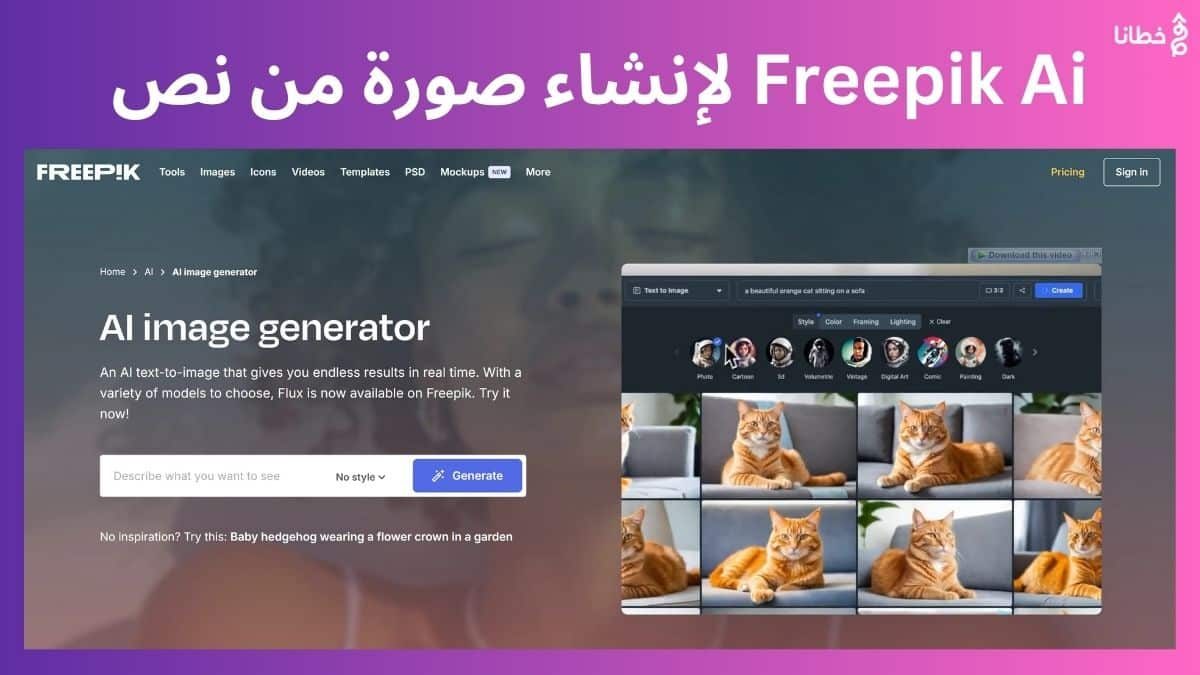
Although Freepik primarily licenses stock assets created by other artists, you can also create your images using their new AI image generator. By creating a free account, you get 10 free points. It works just like any other AI image generator, allowing you to enter text describing the image you want to create. You can also choose from five styles, including portrait, general style, digital art, drawing, and 3D style.
Freepik offers a decent selection of affordable stock image resources, but their quality and variety are declining due to the influx of AI-generated content. While it’s suitable for casual users, professionals may find better value in more comprehensive and advanced libraries like Shutterstock, Adobe Stock, and Envato Elements.
Looking for millions (yes, millions) of visual assets to bring your digital content and properties to life? Freepik has you covered. Browse a library full of graphics, illustrations, animations, videos, icons, and vectors, thousands of which are free to access and use.
What is Freepik good at?
If you’re looking for a huge library of templates, illustrations, graphics, and more to boost your digital presence, Freepik is a solid choice. Its selection is extensive, ranging from pre-made images to templates you can customize, and even AI-generated graphics.
1- A library containing millions of assets:
Whether you’re a graphic designer, entrepreneur, marketer, or any other type of professional, you’ll be amazed by the vast wealth of graphics Freepik offers. You can access a collection of over 30 million photos, 13 million vectors, 10 million icons, 1 million videos, and 2 million PSD files. Your creative juices will overflow with potential.
Many similar services promise a wealth of options but skimp on quality. With Freepik, we can assure you that the assets are generally as stunning as they are numerous. Clear, high-resolution images, editable, distortion-free vectors, and 4K videos immerse you in a world of visual splendor.
What’s the bonus? Thousands of them are completely free to access. With Freepik’s free plan, you can use over 4 million AI-generated images, vectors, photos, videos, and PSD files. For startups and students monitoring their portfolios, this is a dream. And for professionals who need to pump out visual content regularly, it’s a goldmine of affordable graphics at your fingertips.
Let your imagination run wild across hundreds of categories, from travel and business to fashion and technology. Spice up your social media posts, add some vibrancy to your reports, or start strengthening your brand with video storytelling. The possibilities are nearly endless.
2- Easy-to-use interface:
Freepik’s massive catalog may seem daunting. But after browsing through it, you’ll find the user interface is truly simple and helpful. Searching for diamonds in Freepik’s asset collection is not only possible, but it’s quite enjoyable. Freepik takes the stress out of searching with its powerful filtering options. Easily locate what you need by filtering by resource type, colors, orientation, aspect ratio, and more.
With just a few clicks, your perfect infographic will be pulled from among millions of available images. Or, simply browse category by category. Freepik helps organize assets into themed collections like sports, nature, business, and more. But it doesn’t stop there—each main category has subcategories to help you focus your search even more precisely. For example, under the Nature category, you’ll find collections for animals, landscapes, plants, and more.
3- Image categories in an easy-to-use interface:
Freepik’s homepage also includes a uniquely easy-to-use feature: drag-and-drop image search. We tested this by dropping an image from our hard drive onto the page, and Freepik returned an exact match with thousands of remarkably similar images.
4- Customizable assets:
Once you’ve found an image to download, Freepik provides options for your preferred format and size. Additionally, the built-in editor lets you adjust the proportions to your exact needs, plus much more. Add text, overlay other images, adjust contrast and saturation—you’ll get all the tools of a basic image editor in an intuitive, cloud-based interface. It saves a lot of time, and its ease of use means even beginners can edit graphics in minutes.
5- Customizable photo editor:
You can also take advantage of Freepik’s PSD templates to provide the perfect starting point for advanced design. Download the assets into Photoshop and put your unique stamp on illustrations, animations, logos, banners, and more. Freepik understands that ready-made graphics don’t have a limit. You need assets that can be customized to fit your brand’s voice and style. That’s why it provides the tools to transform its images into your eye-catching creations.
6- Images generated by artificial intelligence:
Need a specific image that Freepik’s vast library doesn’t have? Their AI generator brings your wildest visions to life. Simply describe your dream image, and a sophisticated DALL-E-style AI will generate it in minutes. Want a unicorn dancing in a field of hibiscus? A robot playing tennis on Mars? Whatever you can imagine, Freepik’s AI can generate it. An AI-generated image interface with a text box for prompt input.
Besides turning any whimsical idea into reality, this has many practical applications. With AI’s prowess at this, you can create accurate images for your brand or project. You can also gain some control over the output beyond your description by choosing a style from generic, photo, digital art, drawing, or 3D rendering.
It’s not perfect, like all current AI-powered tools. But the results are often impressively accurate rather than confusing. And Freepik’s AI doesn’t just offer a single creation when prompted—you get five uniquely generated images from which to choose the best option.
7- Freepik Contributors Community:
At the heart of Freepik’s ever-expanding catalog is its community of contributors. Over 50,000 new assets are added every day by designers who share their work with the platform and its users. This feeds a steady stream of diverse, high-quality images and videos. Freepik users can follow their favorite contributors and receive notifications whenever they upload new material. It’s an ecosystem of creators that keeps Freepik’s library fresh, relevant, and constantly growing. Crucially, Freepik ensures that all assets comply with licensing requirements before they are made available. This gives users confidence that the assets they access can be legally reused.
8- Active on social media:
We appreciate that Freepik maintains an active social media presence. Not only do they demonstrate their expertise in the world of graphics and digital assets by maintaining healthy social media accounts, but Freepik’s social pages also provide users with a valuable archive of updates, tips, and inspiration. Their YouTube channel is particularly distinctive, filled with short, easy-to-digest videos that educate and inspire. With over 100,000 subscribers enjoying this wisdom, Freepik offers content that its audience finds valuable. From guides on how to get things done in Photoshop and Illustrator to trend summaries, best practices, and inspiring examples, you can elevate your design skills and learn how to maximize your access to the Freepik library.
Seeing their artwork in action on their social feeds provides some fun visual inspiration you can emulate. Freepik often promotes new releases and features on its social channels before launching them. Freepik also engages with users on Instagram, Facebook, and Pinterest. No matter your preferred platform, you can follow them for the latest news, tips, and asset highlights.
Potential drawbacks of Freepik
Despite the access you get to a huge library of assets, there are still some shortcomings with Freepik that you should be aware of. Let’s quickly delve into those shortcomings so you can make a confident decision about whether you should pay for this solution.
1- Attribution of the required originator:
After exploring Freepik, a major downside to its free plan became apparent. You’re stuck with mandatory attribution for any asset you download and intend to use. This means, in practice, that whenever or wherever you publish a Freepik asset, you’ll need to include attribution. Whether it’s a comment, part of your social post, or anything else, you’re required to include either a disclosure that the asset was designed by Freepik or, if it’s the work of one of Freepik’s community of creators, a link back to the original designer’s homepage.
Of course, we don’t mind giving credit where credit is due. But this extra, repetitive step quickly becomes cumbersome if you’re publishing multiple different assets sourced from Freepik. You can probably tolerate this if you use the Freepik library infrequently. For large-scale projects or any organization that constantly needs new assets, you’ll likely want to pay for a paid plan just to remove this constant hurdle.
2- Other restrictions on the free plan:
Mandatory attribution isn’t the only thing that makes using Freepik’s free plan disappointing. The daily download limit is limited to 10 assets if you create a Freepik account. If you use Freepik without an account, you’re also limited to three downloads.
3- Download limit screen with maximum number of downloads 3 times per day:
Furthermore, much of the content available to free users is generic and overused compared to the premium assets. This is to be expected, however. High-quality, unique assets are almost always locked to paid members, regardless of which asset library you use. Free users can technically download some premium videos, but they will be watermarked with a huge Freepik logo, making them unusable in most cases. The bottom line is that Freepik isn’t much different from other asset providers if you just want to use it for free, and these limitations are typical of providers in this category.
4- Poor compensation for shareholders:
While we love how well Freepik offers a wide range of assets thanks to real designers showcasing their work on the platform, we’ve found that these creators face an uphill battle in generating meaningful revenue for themselves. One key issue is that contributors aren’t paid directly for each download of their work. Instead, earnings are calculated based on the total number of downloads per user in a billing period. This means that an asset downloaded by a user who has downloaded thousands of other files that month will significantly reduce any payment to the creator.
5- Flowchart of how Freepik pays contributors:
Unless a contributor’s work is in unusually high demand, this structure makes it difficult for them to collect significant profits. Many past contributors noted in reviews that their average payouts per asset were negligible. Only creators with the most popular content could afford to put in the effort. For some of you, this may not affect your decision. But if respecting and supporting independent creators is closely aligned with your brand values, be wary of relying too heavily on a platform that doesn’t appear to compensate them accordingly.
Freepik Plans and Pricing
Freepik offers several different ways to access the platform. We’ve already talked a bit about the free plan, which costs nothing to use, but there are also two paid options that expand your capabilities and access to Freepik. Let’s delve into your options.
1- Freepik free plan:
With the free plan, Freepik gives you access to a collection of assets at no cost. You can download from a library of thousands of free images, videos, and much more. By signing up for an account, registered members can download up to ten free files per day. However, even non-registered users can download three assets per day. You can even create up to three AI-generated graphics per day.
However, free users miss out on downloading premium content, which is generally higher quality and more unique than free assets. Additionally, you’re required to provide attribution for any downloaded and reused assets when you’re a non-paying user of Freepik. Overall, the free version of Freepik is great for students, hobbyists, and casual users who need occasional images. However, serious users will quickly reach their limits and will want to upgrade to one of the paid plans.
2- Premium Freepik:
Freepik offers two paid plans. The Premium package is for individual users to remove the limitations of the Free plan. You get unlimited downloads and full access to Freepik and Flaticon’s premium content libraries, including exclusive high-quality vectors, photos, videos, PSD files, icons, and more. There are no other attribution requirements, as Premium grants a full commercial license. You can freely reuse assets without worry. The premium AI image creation allowance increases to ten per day. Additional benefits include access to the icon editor, unlimited collections for organizing assets, and priority customer support. The Freepik Premium plan costs $12 per month if billed annually (totaling $144 per year), or $24 if billed monthly.
3- Team plan:
Organizations that want a Freepik account for multiple users can benefit from the Teams plan. Each seat you pay for gets you full access to the Premium plan. Teams plans allow you to assign an administrator to manage user account creation and access. The Freepik Teams plan can be customized to suit your specific needs, and you’ll also get access to priority support and even legal assistance from Freepik.
4- Plan for Freepik Teams plan with annual price quote:
Prices increase based on the number of users you want in your plan, with the monthly price decreasing as you add more seats. For example, an annual Teams subscription costs $11.40 per month for two seats, but only $10.75 for five seats. You can work with Freepik to customize your Teams plan to your exact specifications by contacting them, or get a free Teams plan and get up and running by simply selecting the number of seats and completing the payment process.
Like many solutions of this type, Freepik offers decent (albeit severely restricted) access to high-quality digital assets for free. However, we’re big fans of the size of their library and the range of asset options you can access with the paid plans. Additionally, by opting for a paid plan, you get access to unique tools like an AI-powered image generator and built-in (albeit basic) digital asset management. For more details, click here: https://www.freepik.com/ai/image-generator
In our opinion, Freepik’s free plan isn’t significantly different from its competitors, but the full paid access to its library makes it stand out from the crowd a bit. We suggest you try it on a free account and see if the premium options available in the paid plans interest you enough to make the reasonable monthly or annual expense worth it. Finally, don’t forget to share the article and comment with any thoughts or feedback. https://tech.khutana.com.
Questions about the well-known article Freepik Ai for creating images from text using artificial intelligence and the top 4 advantages
Can I use AI-generated images from Freepik commercially?
If your AI-generated image is free of such violations, you may use it for personal and/or professional use.
Can I freely use images generated by AI?
As with any other type of AI-generated content, AI art is not considered a human creation. Because AI is not legally considered an author, no author can register a copyright for their AI-generated artwork.
What is AI Credit in Freepik?
Credits are used when creating or editing content using AI tools. Unused credits do not carry over to the next cycle. Only Premium+ users can purchase additional credits.
Can you sell AI art on freepik?
We accept all types of assets (images, vectors, and PSD files) on Freepik Contributor. All assets must be properly named using the AI button or by adding the _ai_generated tag via a CSV file. For detailed instructions on how to name AI-generated content in batches, please see this article.